Fill sheets and templates in one click
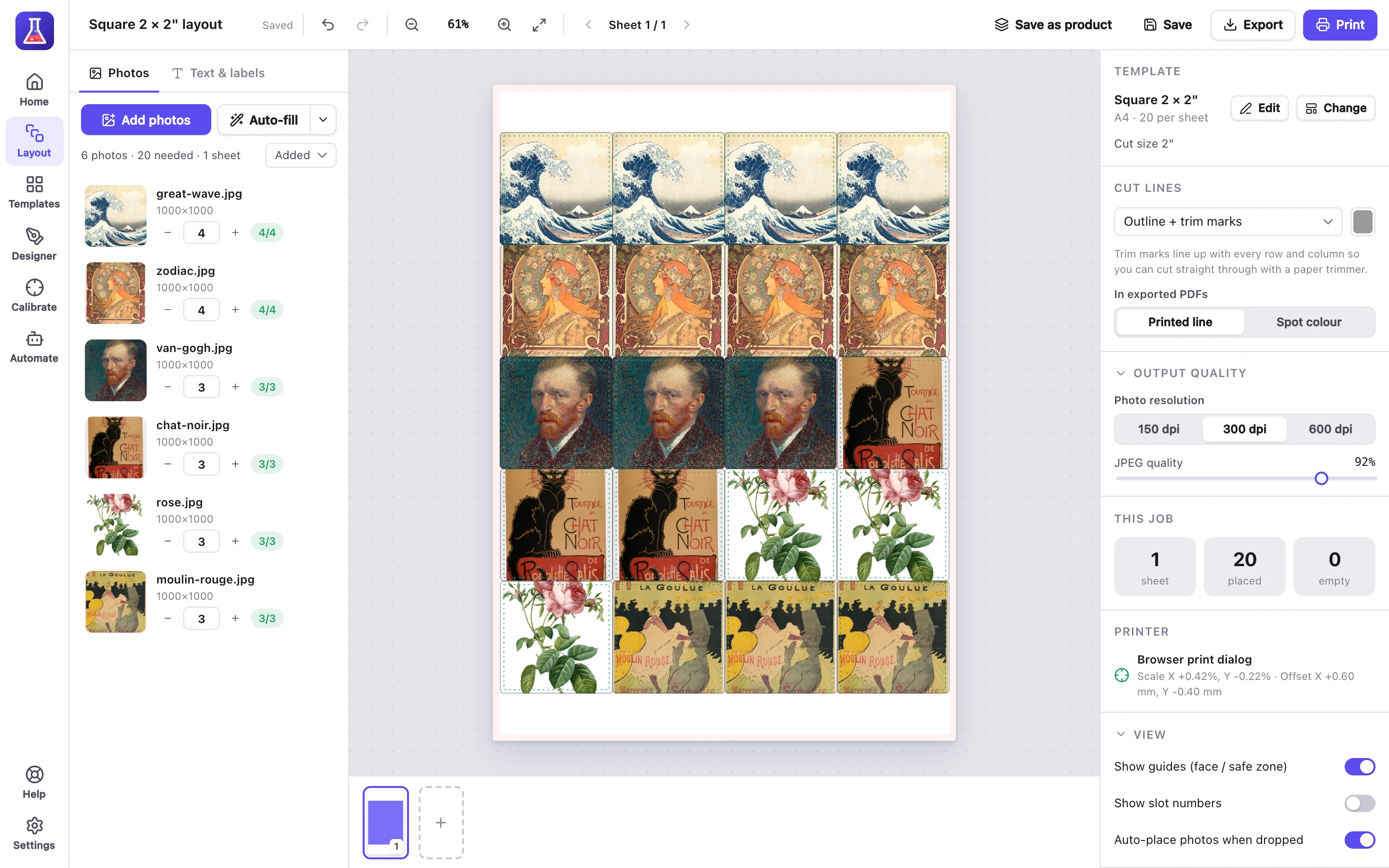
MagLab is desktop software for printing stickers, badges, labels and magnets. Drop your designs in, or automate it, and it fills every sheet.
Free for 7 days, no card needed. Mac, Windows, Linux and Raspberry Pi.
MagLab is an app for your computer: Mac, Windows, Linux or Raspberry Pi. Send yourself the link and try it free for 7 days, no card needed.
How it works
- Add your designs
PNG or JPEG files, from Canva or anywhere else.
- Choose how many
Set how many copies of each design.
- Press Auto-fill
MagLab fills the sheets, and adds more as needed.
- Print
Print at exact size, or export a PDF, PNG or SVG cut file.
What customers say
We only had to set up our templates once and our magnet orders print themselves now, so much time saved, brilliant!
Mandy, from Nerd Dog
MagLab prints our address labels by itself now. We used to print each one manually.
Dan, from Juggel
Automatic order printing, with Pro
MagLab Pro prints new orders from your shop automatically, on a computer or Raspberry Pi by your printers.
- An order comes in
From your shop, a hot folder or the API.
- MagLab lays it out
It fills the right template and adds the order number.
- It prints
Photos go to one printer, labels to another.
- Your shop is updated
The order is marked as printed.
Templates
Start from a ready-made template, design your own, or import one you already have.
 Ready-made
Stickers, magnets, buttons, Avery and thermal labels, business cards and photos, on A4, A3 and US Letter.
 Design your own
Any size or shape, in the template designer.
 Import your own
From Canva, or any PDF, PNG or SVG. MagLab finds the shapes.
Common questions
More in the user guide and on the pricing page.
Which printers does MagLab work with?
Any printer your computer can use: inkjet, laser, label and thermal printers.
What can I make with it?
Stickers, die-cut stickers, magnets, badges, address labels, business cards and photo prints. You can also make your own templates.
Can I use templates and designs I made in Canva?
Yes. Import a Canva template as a PDF or PNG, or design in Canva and add your finished designs to MagLab.
What's the difference between Standard and Pro?
Pro prints your orders by itself as they arrive, from Shopify, Etsy, order feeds, webhooks, hot folders or a local API. Everything else is in Standard.
Why pay for MagLab when Canva and other editors are free?
Free editors don't fill sheets for you. MagLab fills every sheet with the right number of each design in one click, and can print your shop's orders automatically.
What doesn't MagLab do?
It doesn't cut, and it isn't a drawing app. It prints your designs with cut lines, and makes SVG or DXF cut files for a Cricut or Silhouette.
What happens when the free trial ends?
Choose a plan and enter your licence key, and your layouts and templates stay as they are. Without a licence you can still design, but not print or export.
Try it on your next sheet
Free for 7 days with everything included. No card, no account.