Fill sticker sheets in one click
Add your designs, choose how many of each, and MagLab fills the sheets. Pick one of 21 shapes, or make die-cut stickers that follow each design's outline.
Free for 7 days, no card needed. Mac, Windows, Linux and Raspberry Pi.
MagLab runs on Mac, Windows, Linux and Raspberry Pi. Free for 7 days, no card needed.
- ×9
- ×11
- ×9
- ×8
- ×8
- ×3
- ×3
- ×3
- ×3
- ×3
- ×3
- ×3
- ×3
- ×3
- ×3
- ×3
- ×3
- ×3
- ×3
- ×3
- Die-cut
- Hexagons
- Hearts
- Stars
Die-cut stickers
MagLab draws a cut line around each design and packs the stickers tightly, so more fit on each sheet.
- A different size for each design
- SVG and DXF cut files for Silhouette
- PNGs for Cricut Print Then Cut
- CutContour PDFs for print shops
21 sticker shapes
Circles, squares, rectangles, ovals, hearts, hexagons and stars, on A4, A3 and US Letter. Each one is also a free template.
Need a different size? Make it in the template designer, or import a template from Canva, a PDF or an SVG.
Edit any sticker before printing
Auto-fill places every sticker and adds sheets as needed. You can still change any sticker on the sheet.
- Move, zoom, rotate or flip a design
- Adjust brightness, contrast and saturation
- A warning if an image is too low-resolution
- Add text, or a different name on each sticker
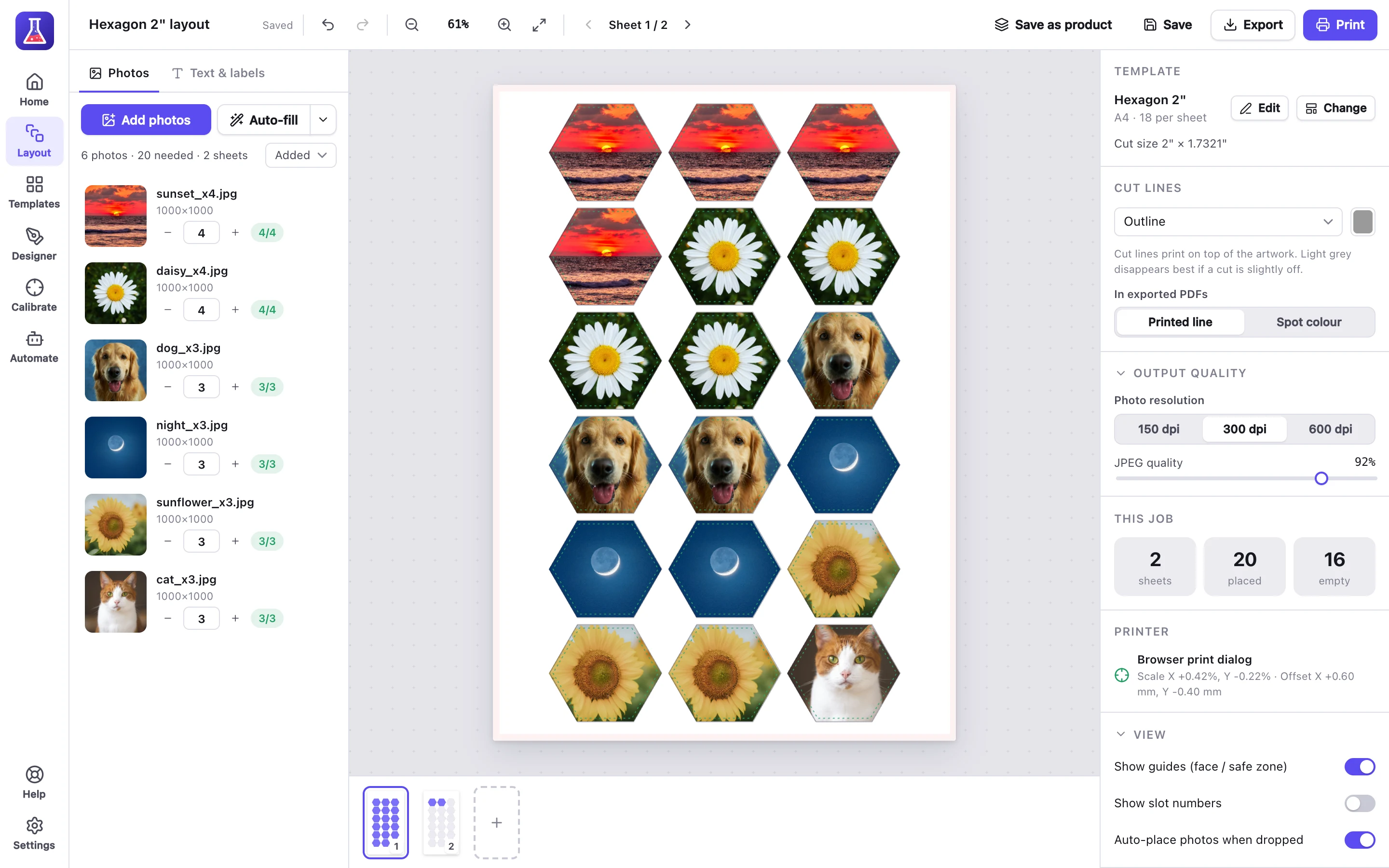
Twenty hexagon stickers from six designs. 18 fit on one A4 sheet, and the rest go on a second.
Cut lines
Choose which cut lines to print.
- Outlines, for scissors or a punch
- Trim marks, for a guillotine
- Lines across the sheet, for a paper trimmer
- Cut files, for a Cricut, Silhouette or laser cutter
- Bleed, so a slightly off cut doesn't leave a white edge
Questions about stickers
Does MagLab cut the stickers?
No. MagLab prints them with cut lines and makes cut files. You cut them by hand or with a Cricut or Silhouette.
Can I use designs from Canva or Procreate?
Yes. Export them as PNG or JPEG files at 300 pixels per inch. For die-cut stickers, use PNGs with a transparent or plain background.
What can I print on?
Sticker paper, printable vinyl or plain paper.
How many stickers fit on a sheet?
It depends on the size. For example, 18 2" hexagons fit on A4. Each free template shows how many fit.
Templates and guides
- Free sticker and magnet templatesPDF, PNG for Canva and SVG cut file for every shape.
- Die-cut stickers in the user guideHow to make them, step by step.
Also made with MagLab
- Buttons and badgesButton sheets sized for your button maker.
- MagnetsPhoto and business-card magnets.
- Address labelsFrom Etsy or Shopify orders, on Avery or thermal labels.
Try it on your next sheet of stickers
Free for 7 days with everything included. No card, no account.