Fill button sheets in one click
Add your designs, choose how many of each, and MagLab fills the sheets with circles sized for your button maker. A ring on each circle shows where the front of the button ends.
Free for 7 days, no card needed. Mac, Windows, Linux and Raspberry Pi.
MagLab runs on Mac, Windows, Linux and Raspberry Pi. Free for 7 days, no card needed.
- ×2
- ×2
- ×2
- ×2
- ×2
- ×2
- ×5
- ×5
- ×5
- ×5
- ×4
- ×2
- ×2
- ×1
- ×1
- 2¼ inch
- 1½ inch
- 3 inch
Button sizes
The printed circle is bigger than the button, because its edge wraps around the back. A 2¼" button needs a 2⅝" circle. Every size below is built in, on US Letter, A4 and A3.
| Button | Cut circle | Per US Letter | Per A4 | Per A3 |
|---|---|---|---|---|
| 1" button25.4 mm | 1.31" 33.3 mm | 44 | 45 | 98 |
| 1¼" button31.8 mm | 1.63" 41.4 mm | 28 | 28 | 66 |
| 1½" button38.1 mm | 1.84" 46.7 mm | 21 | 24 | 50 |
| 1¾" button44.5 mm | 2.15" 54.6 mm | 15 | 15 | 36 |
| 2¼" button57.2 mm | 2⅝" 66.7 mm | 12 | 12 | 24 |
| 2½" button63.5 mm | 2.9" 73.7 mm | 8 | 8 | 18 |
| 3" button76.2 mm | 3.44" 87.3 mm | 6 | 6 | 13 |
| 3½" button88.9 mm | 3.94" 100 mm | 4 | 5 | 8 |
Sizes vary slightly between button makers. If yours needs a different size, set it in the template designer.
See the front of the button before printing
Anything outside the ring wraps around the edge, so keep text inside it.
- The ring shows on screen but doesn't print
- Curved text along the top or bottom edge
- A different name on each badge, from a list
- Move, zoom, rotate or flip any design
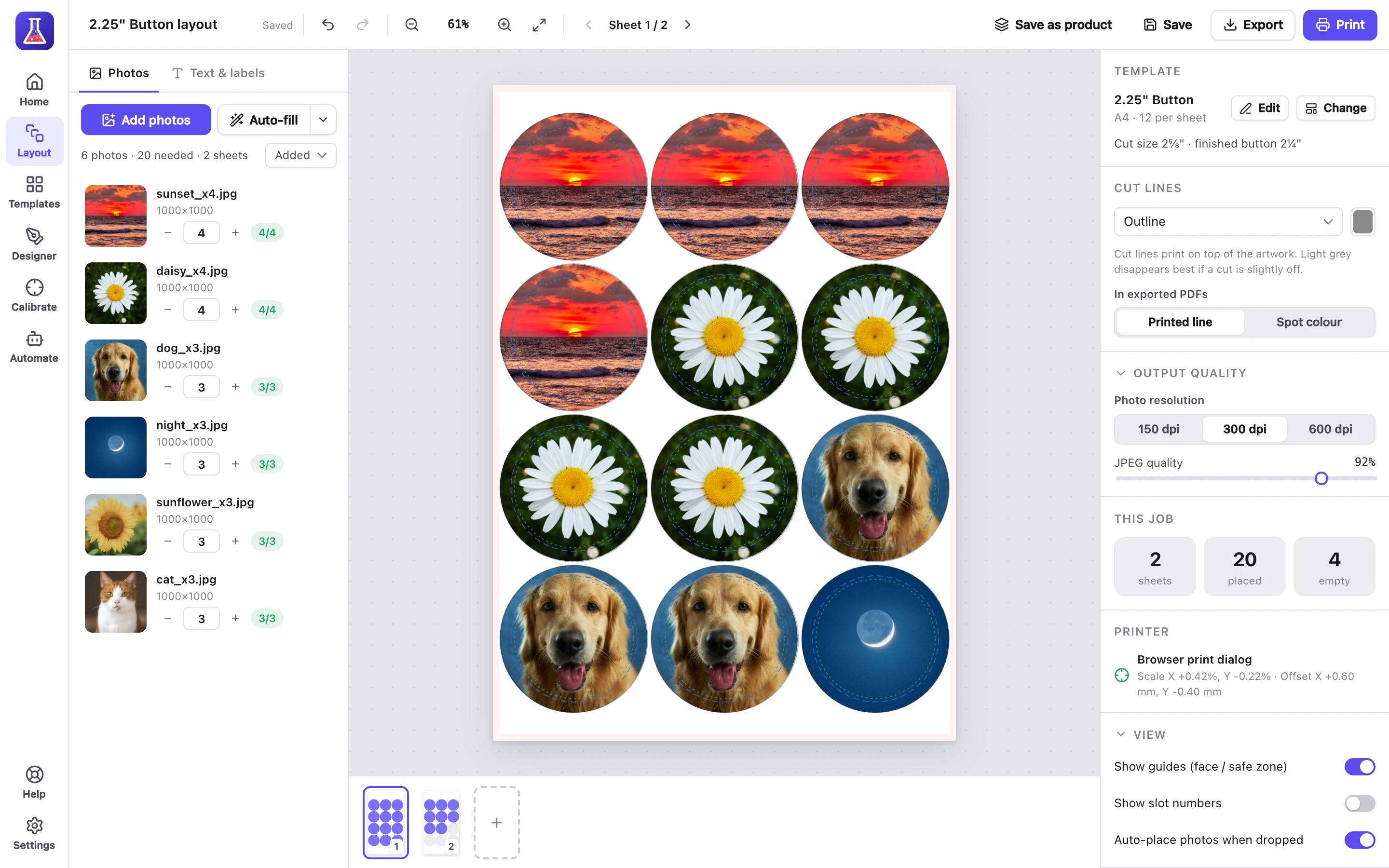
2¼" buttons on A4. The dashed ring is the front of the button. The outer circle is the cut line.
Cut lines
Choose which cut lines to print.
- Outlines, for scissors or a punch
- Centre marks, for circle cutters
- Lines between rows, to cut the sheet into strips
- No lines
Questions about buttons and badges
What size should I print a 2¼" button?
On a 2⅝" circle (66.7 mm). The extra 4.8 mm on each side wraps around the button. The table above lists every size.
Does MagLab work with my button maker?
Yes. MagLab prints the paper circles, so it works with any button maker. If yours needs a different size, set it in the template designer.
What paper should I use?
Regular printer paper, 80–100 gsm (20–24 lb). Thicker paper can jam the press or tear the film.
Can I make badges with names on them?
Yes. Paste a list of names or import a spreadsheet, and MagLab puts one name on each badge.
Can I design my buttons in Canva?
Yes. Use the PNG from a button template as a guide in Canva, export your designs, then add them to MagLab.
Templates and guides
- How to make pin-back buttons at homeWhat you need, and how to make them.
- Free button templatesPDF, PNG for Canva and SVG cut file for every size from 1" to 3½".
Also made with MagLab
- StickersSticker sheets in 21 shapes, plus die-cut stickers.
- MagnetsPhoto and business-card magnets.
- Address labelsFrom Etsy or Shopify orders, on Avery or thermal labels.
Try it on your next sheet of buttons
Free for 7 days with everything included. No card, no account.