Fill magnet sheets in one click
Add your photos, choose how many of each, and MagLab fills the magnet sheets. Each photo is cropped to fit its magnet.
Free for 7 days, no card needed. Mac, Windows, Linux and Raspberry Pi.
MagLab runs on Mac, Windows, Linux and Raspberry Pi. Free for 7 days, no card needed.
- ×2
- ×2
- ×2
- ×2
- ×2
- ×4
- ×4
- ×4
- ×4
- ×4
- ×2
- ×2
- ×2
- ×2
- ×2
- ×2
- Business cards
- Squares
- Rounds
No gaps, less cutting
Rectangle and square magnets can sit edge to edge, with no gap. One cut with a paper trimmer separates a whole row.
- No wasted magnet between rows
- Gaps, outlines or trim marks, if you prefer
- Outlines on round magnets, for a circle punch
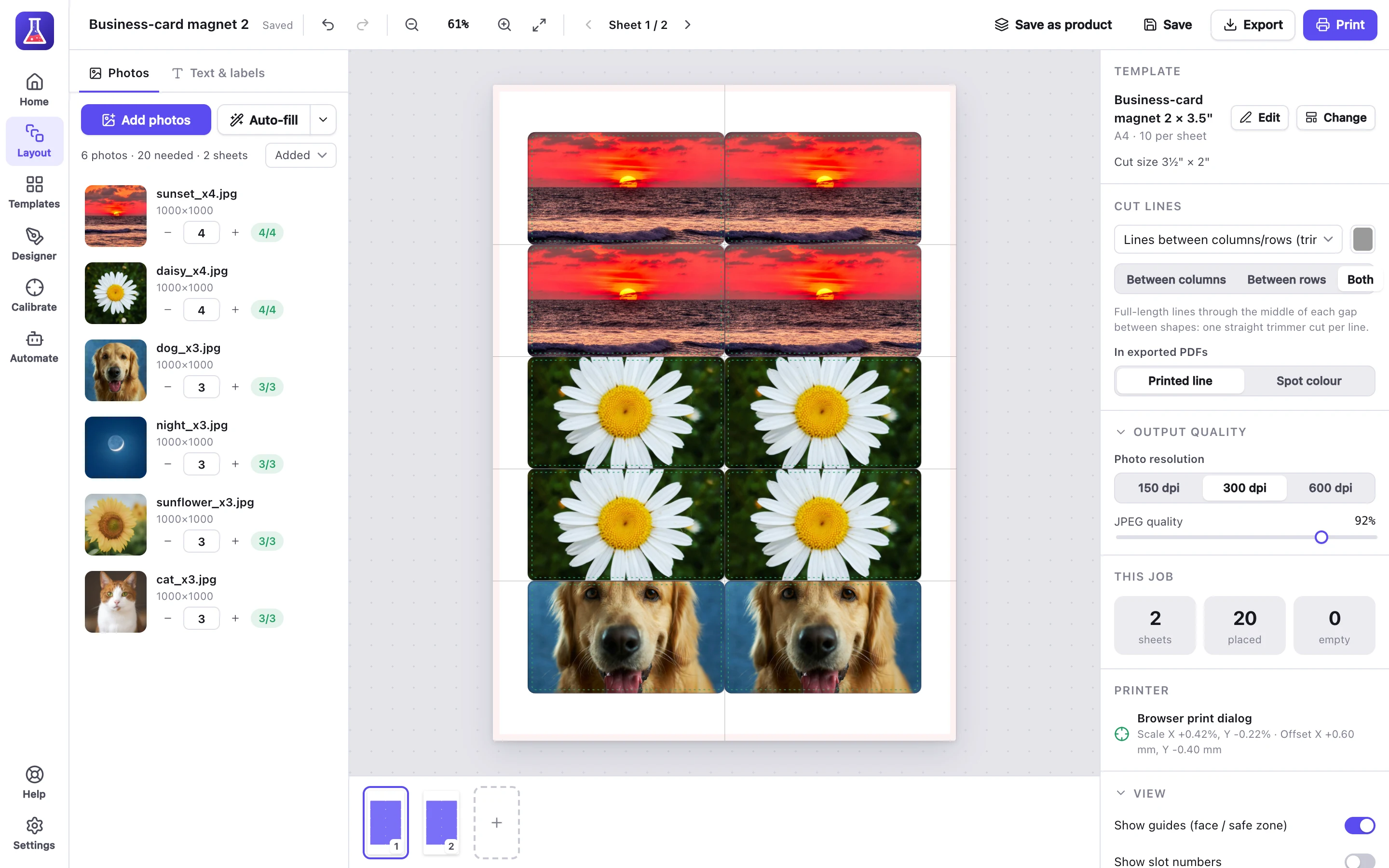
Business-card magnets, edge to edge. Each line is one cut.
Magnet sizes
Every size works on A4, A3 and US Letter, and each one is also a free template. Make other sizes in the template designer.
| Magnet | Size | Per US Letter | Per A4 | Per A3 |
|---|---|---|---|---|
| Business card, 2 × 3½" | 50.8 × 88.9 mm | 10 | 10 | 24 |
| Rectangle, 2 × 3" | 50.8 × 76.2 mm | 12 | 12 | 25 |
| Rectangle, 2½ × 3½" | 63.5 × 88.9 mm | 9 | 9 | 16 |
| Rectangle, 3 × 4" | 76.2 × 101.6 mm | 4 | 4 | 12 |
| Square, 2" | 50.8 mm | 20 | 20 | 40 |
| Square, 2½" | 63.5 mm | 12 | 12 | 24 |
| Square, 3" | 76.2 mm | 6 | 6 | 15 |
| Round, 2" | 50.8 mm | 15 | 18 | 36 |
| Round, 2½" | 63.5 mm | 12 | 12 | 25 |
| Round, 3" | 76.2 mm | 6 | 8 | 15 |
Edit any photo before printing
Auto-fill crops each photo to fit. You can still change any photo on the sheet.
- Move, zoom, rotate or flip a photo
- Show the whole photo, with a background colour
- A warning if a photo is too low-resolution
- Adjust brightness, contrast and saturation
Questions about magnets
Which magnetic sheets work?
Any printable magnetic sheet in A4, A3 or US Letter. Buy sheets made for your type of printer, inkjet or laser. Feed them one at a time if your printer struggles.
What size is a business-card magnet?
2 × 3½" (50.8 × 88.9 mm). 10 fit on US Letter and 10 on A4.
Do I need a cutting machine?
No. Use a paper trimmer for rectangles and squares, and a circle punch for round magnets.
Will the ink smudge?
Inkjet ink can smudge when wet. Seal magnets with clear laminate or a spray sealer if they will be handled a lot.
Can I make magnets with a button maker?
Yes. Use magnet backs instead of pins, and print with a button template. The buttons page lists the sizes.
Templates and guides
- Free business-card magnet template2 × 3½", 10 to a sheet, as a PDF, a PNG for Canva and an SVG cut file.
- Every sticker and magnet templateCircles, squares, rectangles, an oval, a heart, a hexagon and a star.
Also made with MagLab
- Buttons and badgesButton sheets sized for your button maker.
- StickersSticker sheets in 21 shapes, plus die-cut stickers.
- Address labelsFrom Etsy or Shopify orders, on Avery or thermal labels.
Try it on your next sheet of magnets
Free for 7 days with everything included. No card, no account.