Print address labels from your orders in one click
Import your Etsy or Shopify orders, or paste a list, and MagLab puts one address on each label. No mail merge needed.
Free for 7 days, no card needed. Mac, Windows, Linux and Raspberry Pi.
MagLab runs on Mac, Windows, Linux and Raspberry Pi. Free for 7 days, no card needed.
21 addresses
Auto-fill10 addresses
Auto-fill14 addresses
Auto-fill- Avery L7160
- Avery 5163
- Avery L7163
Import orders from Etsy, Shopify or PayPal
Export your orders as a CSV file and import it. MagLab finds the address columns for you.
- The shipping address from Shopify, not the billing one
- One label per order, even with several items
- Empty address lines removed
- Long addresses shrink to fit
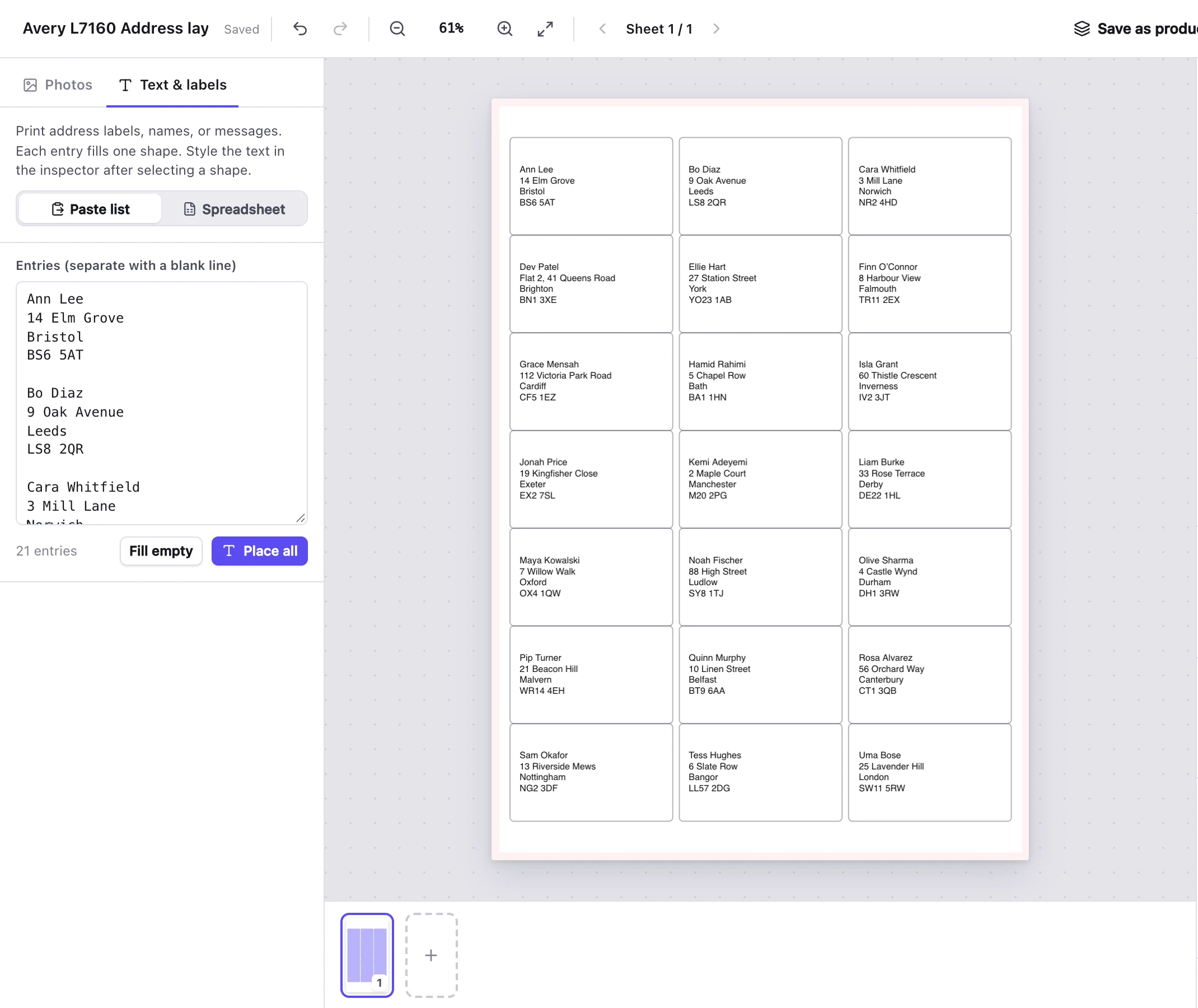
21 addresses on an Avery L7160 sheet, pasted as a list.
Label sheets
17 Avery sheets in A4 and US Letter, plus a 4 × 6" thermal label. Compatible sheets from other brands work too.
| Sheet | Size of each | Paper | Per sheet |
|---|---|---|---|
| Avery 5160 / 8160address labels | 2⅝ × 1" | US Letter | 30 |
| Avery 5161address labels | 4 × 1" | US Letter | 20 |
| Avery 5162address labels | 4 × 1.33" | US Letter | 14 |
| Avery 5163shipping labels | 4 × 2" | US Letter | 10 |
| Avery 5164shipping labels | 4 × 3.33" | US Letter | 6 |
| Avery 5167return-address labels | 1¾ × ½" | US Letter | 80 |
| Avery 5168large labels | 3½ × 5" | US Letter | 4 |
| Avery 5126half-sheet shipping labels | 8½ × 5½" | US Letter | 2 |
| Avery L7160labels | 63.5 × 38.1 mm | A4 | 21 |
| Avery L7161labels | 63.5 × 46.6 mm | A4 | 18 |
| Avery L7162labels | 99.1 × 33.9 mm | A4 | 16 |
| Avery L7163labels | 99.1 × 38.1 mm | A4 | 14 |
| Avery L7165labels | 99.1 × 67.7 mm | A4 | 8 |
| Avery L7169labels | 99.1 × 139 mm | A4 | 4 |
| Avery L7173labels | 99.1 × 57 mm | A4 | 10 |
| Avery L7168labels | 199.6 × 143.5 mm | A4 | 2 |
| Avery L7651mini labels | 38.1 × 21.2 mm | A4 | 65 |
| 4 × 6" shipping labelfor thermal printers | 4 × 6" | 4×6" Photo / Shipping | 1 |
Avery is a trademark of its owner. MagLab isn't made or endorsed by Avery.
Automatic printing, with Pro
Pick a folder. When you save a CSV into it, MagLab prints the labels automatically.
- A Quantity column prints extra copies
- Nothing prints twice
- Works with network folders
Questions about labels
Do I need Microsoft Word?
No. MagLab reads the CSV directly. No mail merge needed.
Will the text line up with the labels?
MagLab prints at exact size, so the layout matches the label sheet. Before a big batch, print one page on plain paper and hold it against a label sheet to check.
Will it print on a thermal label printer?
Yes. There's a 4 × 6" template for thermal printers such as Rollo, Zebra, MUNBYN and DYMO 4XL.
Can I fill a sheet with my own return address?
Yes. Select every label with ⌘A (Ctrl+A on Windows) and type your address once. For small return labels, use Avery 5167 (80 per sheet) or Avery L7651 (65 per sheet).
What if my label sheet isn't in the list?
Measure it and add it in the template designer, or import the label maker's PDF template. It's saved for next time.
Templates and guides
- How to print Etsy and Shopify addresses on Avery labelsExporting your orders and printing them on labels.
- Free label templatesEvery sheet above as a PDF, and a PNG for Canva.
Also made with MagLab
- Buttons and badgesButton sheets sized for your button maker.
- StickersSticker sheets in 21 shapes, plus die-cut stickers.
- MagnetsPhoto and business-card magnets.
Try it on your next batch of orders
Free for 7 days with everything included. No card, no account.