A4 vs US Letter: sizes and printing across them
The exact sizes of A4 and US Letter paper, what happens when you print a file made for one on the other, and how to keep stickers and labels the right size.
By Ryan Soanes · Updated 14 November 2026
A4 is 210 × 297 mm. US Letter is 8.5 × 11”, which is 215.9 × 279.4 mm. Letter is 5.9 mm wider and A4 is 17.6 mm taller, so a page made for one doesn’t fit the other without being shrunk or cut off.
What are the sizes?
| Paper | Millimetres | Inches | Used in |
|---|---|---|---|
| A4 | 210 × 297 | 8.27 × 11.69 | Most of the world |
| US Letter | 215.9 × 279.4 | 8.5 × 11 | USA, Canada, parts of Latin America |
| A3 | 297 × 420 | 11.69 × 16.54 | Two A4 sheets side by side |
A4 comes from the international standard ISO 216. Every A size has the same shape, and each one is half of the size before it: fold A3 in half and you get A4.
What happens if you print an A4 file on Letter?
The printer does one of two things:
- Shrinks the page to fit. The whole page is made smaller, so every sticker, label and cut line is smaller too.
- Prints at full size and cuts off the edge. The bottom 17.6 mm of an A4 page falls off the end of a Letter sheet.
How much it shrinks is simple to work out, before the printer’s own margins make it a little smaller still:
| File made for | Printed on | Shrinks to | A 50 mm sticker becomes |
|---|---|---|---|
| A4 | US Letter | 94.1% | 47.0 mm |
| US Letter | A4 | 97.3% | 48.6 mm |
A sticker that’s a millimetre or two small may not matter. A sheet of labels does: by the last row, the print is well off the labels.
Can you use an A4 label template on Letter labels?
No. The sheets are different sizes and the labels are laid out differently. For example, Avery L7160 (A4) has 21 labels of 63.5 × 38.1 mm, and Avery 5160 (US Letter) has 30 labels of 1 × 2⅝”. Use the template for the code on your pack. Avery label template codes lists the common ones for both paper sizes.
How do you check which size a file is?
- A PDF: open it and look at the document properties (in Adobe Acrobat Reader, File → Properties, or Menu → Document properties). The page size is listed there.
- A design app: check the page or canvas size. A file from someone in another country may be the other size.
Then set the same paper size in the print dialog, and make sure that paper is in the tray. How to print at actual size covers the scale setting in each app.
Which fits more stickers?
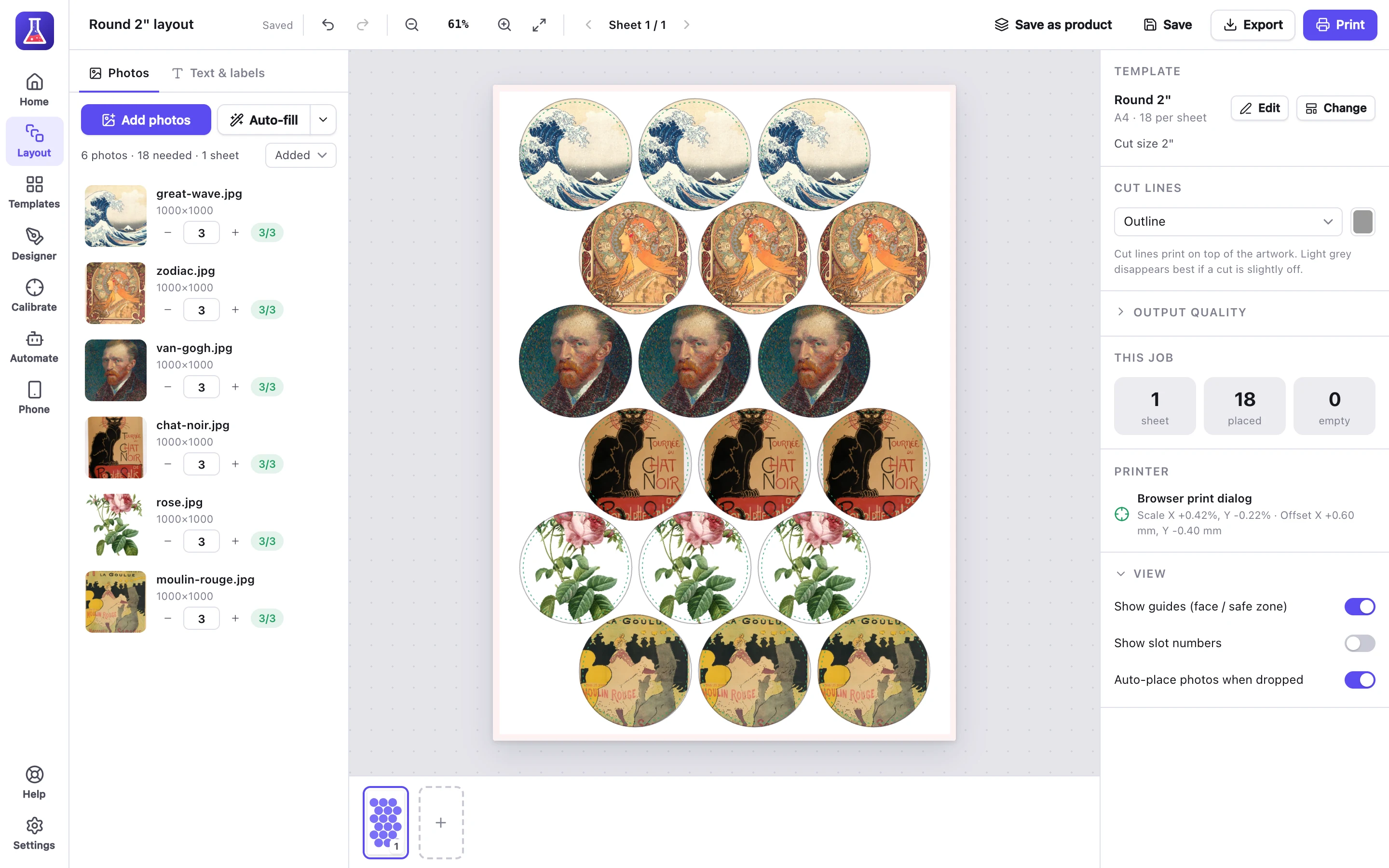
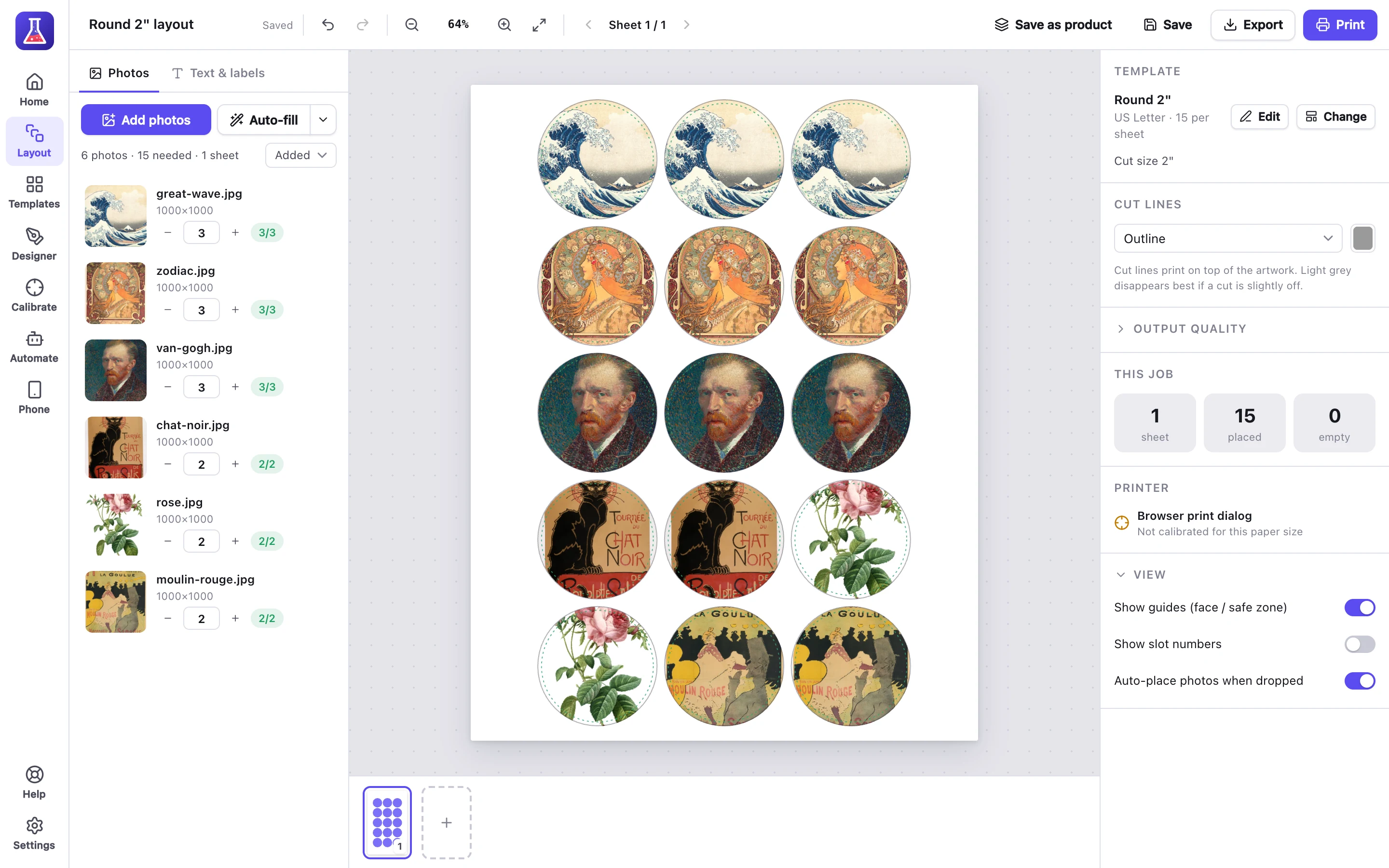
About the same. A4 has slightly more area (623.7 cm² against 603.2 cm² for Letter), and which one fits more depends on the sticker. A 2” round sticker fits 18 on A4 and 15 on Letter in our templates, while a 2 × 2” square fits 20 on both. How many stickers fit on a sheet has the full table.
Does MagLab work with both?
Yes. MagLab has every sticker, magnet and button template on A4, A3 and US Letter, and the free printable templates come in all three. Pick the paper you have and it fills the sheet for that size.