User guide
Etsy
MagLab can print your Etsy orders by itself. It checks your shop every couple of minutes and prints your buyers’ photos, or your own designs for listings you sell ready-made. Orders go straight from Etsy to your computer.
This needs MagLab Pro or the free trial.
Before you start
- For buyers’ photos: add a file upload question to the listing’s personalisation in Etsy. MagLab reads photos from there. It can’t see photos sent in Etsy messages.
- For ready-made designs: you only need the design files.
- Address labels don’t work if your shop is in the US, Canada, Australia, Germany, France, Spain, Italy, Portugal, Greece, the Netherlands, Turkey, Israel, India or Vietnam. Etsy doesn’t share buyers’ addresses with apps there (its list as of November 2026). You can print labels from Etsy’s order CSV instead.
Step 1: make an app in Etsy
You do this once for each shop. In MagLab, open Automate → Etsy and click Open Etsy’s app page. MagLab shows these steps too, with copy buttons.
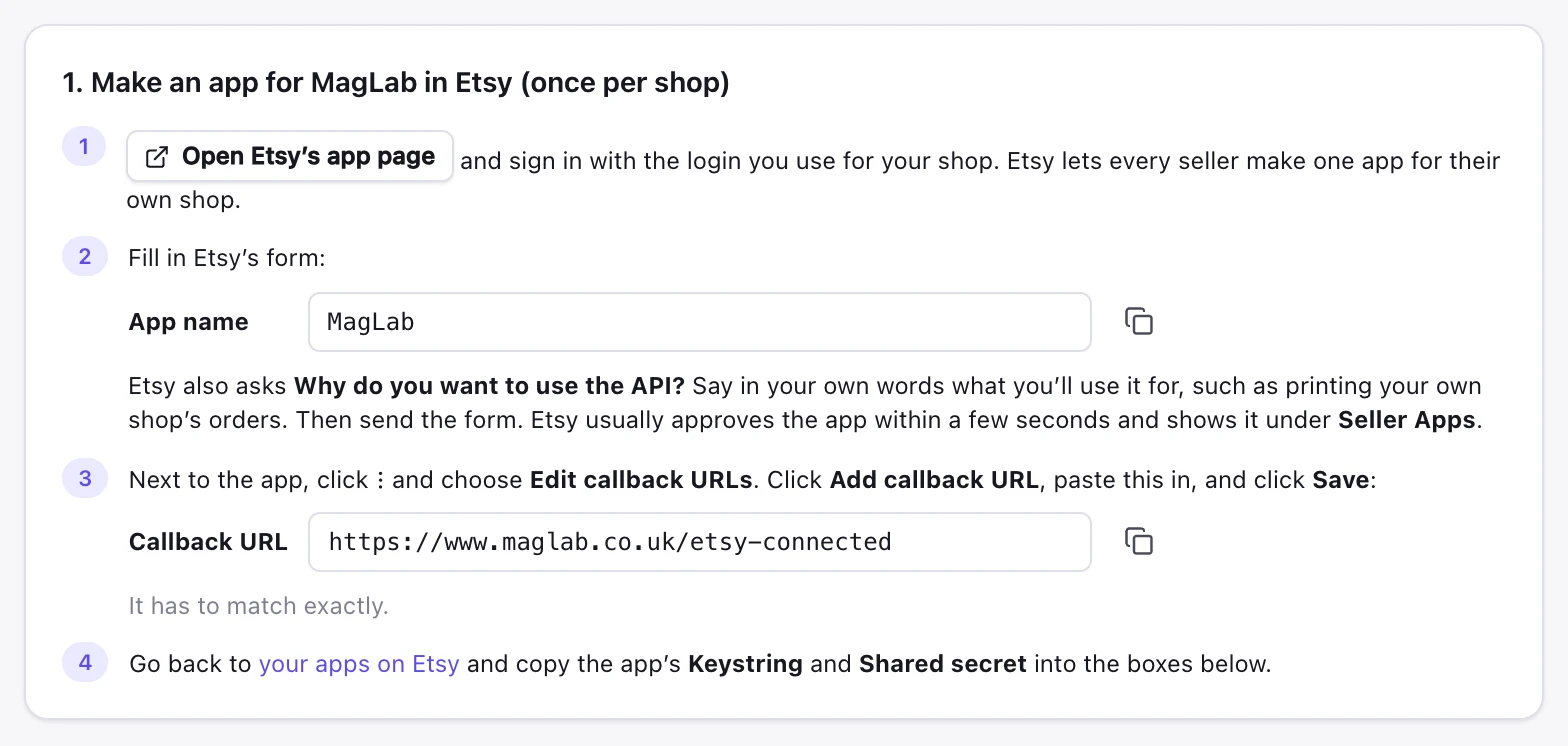
- Sign in to Etsy with your shop’s login.
- Name the app
MagLab. Under Why do you want to use the API?, write something like “To print my own shop’s orders”. Send the form. - The app appears under Seller Apps, usually within seconds. Click ⋮ next to it, then Edit callback URLs, then Add callback URL.
- Paste
https://www.maglab.co.uk/etsy-connectedand click Save. - Copy the app’s Keystring and Shared secret.
Step 2: connect MagLab
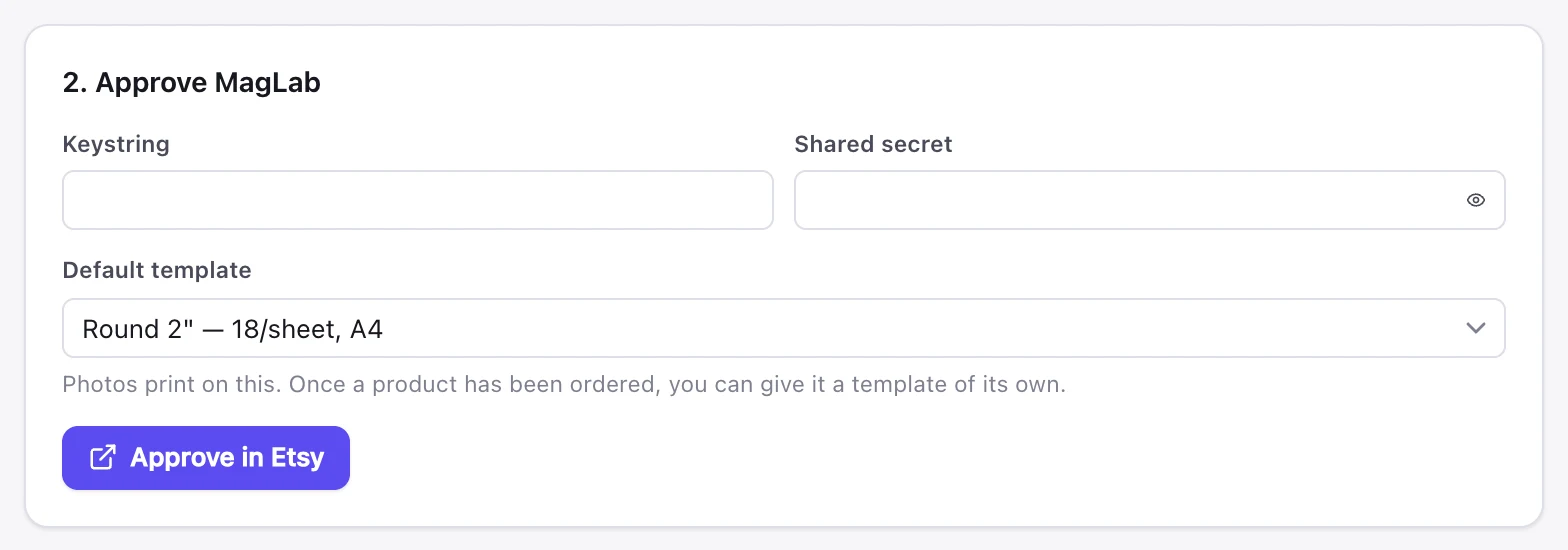
- In Automate → Etsy, paste the Keystring and Shared secret.
- Choose the Default template your photos print on.
- Click Approve in Etsy. Allow access in the browser.
- Copy the connection code from the page that opens.
- Paste it into MagLab and click Connect.
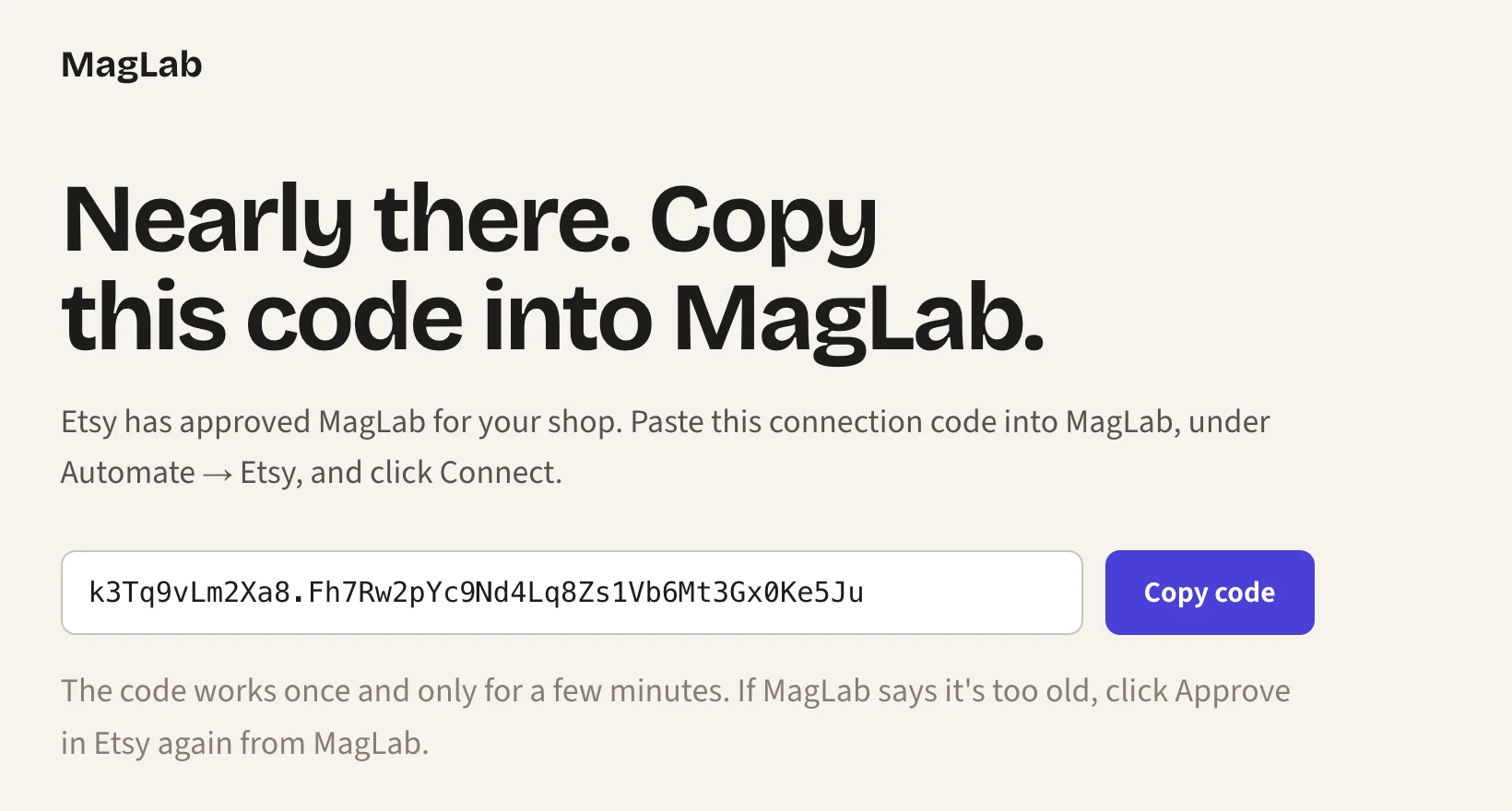
The code works once, for a few minutes. If the page doesn’t load, paste its whole address instead.
MagLab can only read your orders. It can’t change anything in your shop.
What happens to orders
Etsy orders work like Shopify orders. They wait on hold until you switch on Print automatically. You can choose a template or design for each listing, share sheets between orders and print address labels.
The differences:
- Etsy can’t mark orders as printed. MagLab remembers which orders it printed on this computer.
- Listings appear after their first order with photos. To add one sooner, type its whole title as in Etsy and click Add.
- A variant is the option the buyer chose, such as
LargeorRed / A5.
Manage the connection
- Edit connection: use new codes, or approve MagLab again. Templates and order history stay.
- Connect another shop: each shop needs its own app in Etsy.
- Disconnect: MagLab stops checking the shop. To remove its access completely, also remove it in your Etsy account settings, under Apps.
After importing a settings backup on another computer, approve each Etsy shop again there.
If something goes wrong
| MagLab says | Fix |
|---|---|
| Etsy needs you to approve MagLab again | Click Edit connection and connect again. This happens if MagLab hasn’t been open for 90 days, or you removed its access in Etsy. |
| Etsy didn’t accept the app’s keystring | Copy the Keystring and Shared secret from Etsy again. |
| The callback URL doesn’t match | Add exactly https://www.maglab.co.uk/etsy-connected in Step 1. |
| Etsy didn’t accept that connection code | Click Approve in Etsy again and paste the new code. |
| Etsy won’t let this app read the shop’s orders | Check the app is approved in Etsy and belongs to this shop. Then connect again. |
| Etsy is busy | Nothing. MagLab tries again shortly. |
Next
- Automation: working hours, the print queue and backups.
- Phone: see and print your orders from your phone.
- Help: licence keys, updates and common problems.
The term “Etsy” is a trademark of Etsy, Inc. MagLab uses the Etsy API but is not endorsed or certified by Etsy, Inc.